Compiling Darknet on Arch
I and my friend Rohit were working on object detection for a project. So naturally, the first choice was to try YOLO object detection. YOLO is implemented using Darknet.
Darknet is an open source neural network framework written in C and CUDA. It is fast, easy to install, and supports CPU and GPU computation.
You have to compile Darknet to run YOLO. There were few hiccups that I faced while compiling Darknet on Arch with Nvidia GPU. I will detail out the procedure for the same.
For CPU
The procedure of running compiling Darknet and running YOLO on CPU is easy and is listed on its website.
For Nvidia GPU
NOTE
Assuming all the packages are installed in their default location.
Clone the Darknet repo.
git clone https://github.com/pjreddie/darknet.git
cd darknet
mkdir -o obj
Install OpenCV legacy version(
optdirectory version) from here.Install CUDA from here. And add installed CUDA binaries to
$PATH.# add this in ~/.bashrc export PATH="$PATH:/opt/cuda/bin"Open
Makefileindarknet directoryand set GPU and OPENCV to 1.#Makefile GPU=1 OPENCV=1Change first occurance of
LDFLAGSandCOMMONto the following:LDFLAGS= -L/opt/cuda/lib64 -L/opt/opencv2/lib -lm -pthread -lstdc++ COMMON= -Iinclude/ -Isrc/ -I/opt/cuda/includeIn
'ifeq ($(OPENCV), 1)'section changeLDFLAGSandCOMMONto following and save it.LDFLAGS+= -lopencv_calib3d -lopencv_imgproc -lopencv_contrib -lopencv_legacy -lopencv_core -lopencv_ml -lopencv_features2d -lopencv_objdetect -lopencv_flann -lopencv_video -lopencv_highgui COMMON+= -I/opt/opencv2/includeNow run
makemake -j 8If you have any errors, try to fix them or ask in comment box. If everything seems to have compiled correctly, try running it!
LD_LIBRARY_PATH=/opt/opencv2/lib ./darknetDownload YOLOv3 pre-trained weights.
wget https://pjreddie.com/media/files/yolov3.weightsTry running it on input from a webcam.
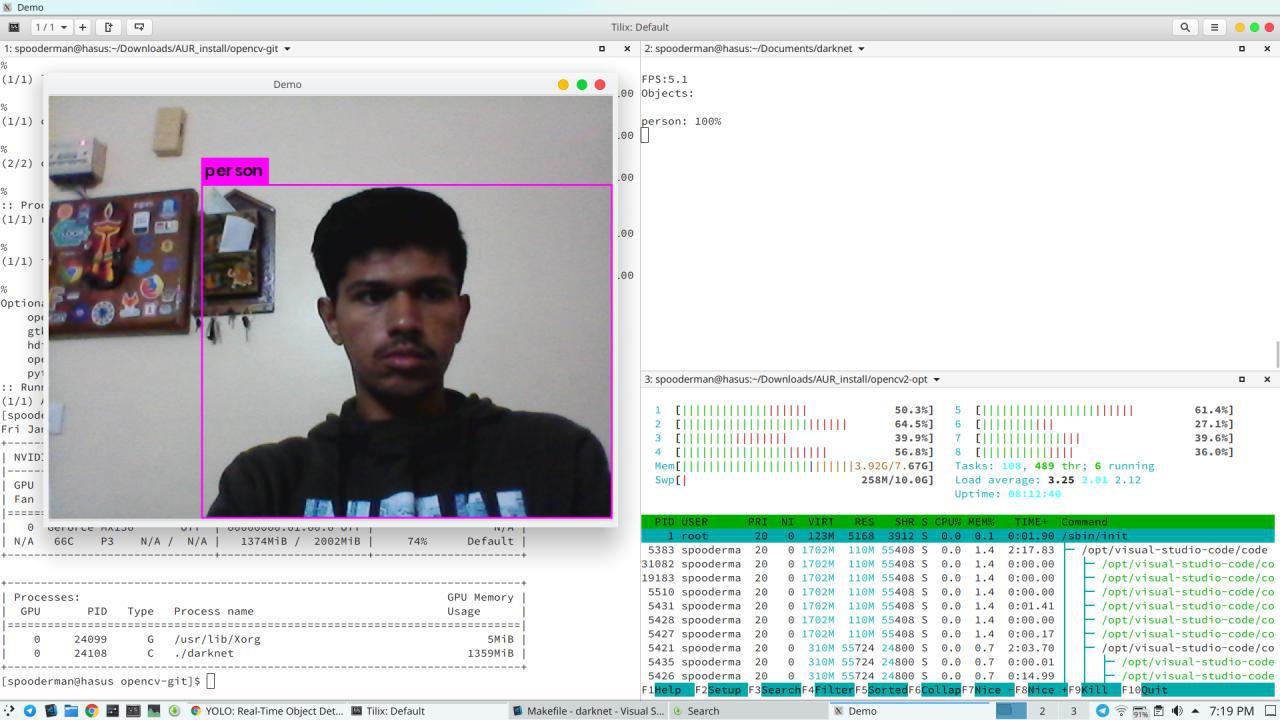
LD_LIBRARY_PATH=/opt/opencv2/lib ./darknet detector demo cfg/coco.data cfg/yolov3.cfg yolov3.weightsWe are setting
LD_LIBRARY_PATHso that the linker can find OpenCV’s dynamic libraries. Else it will show errors.If you have less powerful GPU, like mine(I have MX 150), try running Tiny YOLOv3.
# download weights
wget https://pjreddie.com/media/files/yolov3-tiny.weights

# run the detector
LD_LIBRARY_PATH=/opt/opencv2/lib \
./darknet detect cfg/yolov3-tiny.cfg yolov3-tiny.weights data/dog.jpg